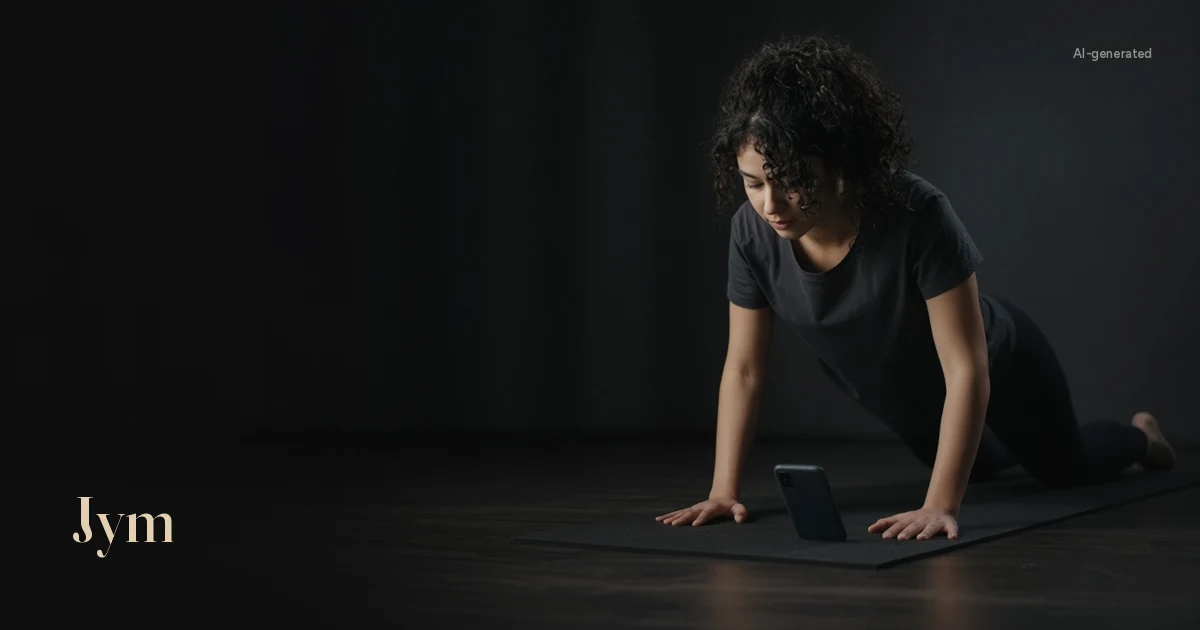
The counter says 25. Your arms are shaking, you're delighted, and then you remember that for the last six reps your chest stopped a good hand's width above the floor. The app didn't care. It heard something, or felt something, and added one.
That's the thing about a push-up counter app: every one of them is answering the same question, "did a rep just happen?", but they answer it with very different evidence. Some only know you tapped the screen. Some only know your face came close. A few can see your whole body. Which one you pick decides whether your number means what you think it means.
The short version
- Tap counters count your taps, not your reps.
- Proximity-sensor counters count your face getting near the phone.
- Front-camera face tracking counts how close your face comes to the screen.
- Wrist wearables feel your arm move, but can't see your hips.
- Full-body camera counters see your joints, so they can refuse half reps and flag form.
- Before you trust any of them, run the 60-second test further down.
What a counter actually has to decide
A push-up is a loop: straight arms at the top, down until your chest or chin reaches, or nearly reaches, the floor, then back up to straight arms. Miss either end and it's a different, easier exercise.
That full range isn't pedantry. The American College of Sports Medicine's 2026 position stand on resistance training, an overview of 137 systematic reviews, found that strength gains were enhanced by training "through a complete range of motion" (Currier et al., 2026). A counter that waves half reps through is quietly rewarding the reps that do the least for you.
So the useful question about any app is: what evidence does it use to say "that was a rep"?
Type 1: tap or manual counters
How it decides: you tap the screen, press a button or say a number after each rep.
Good at: being simple. It works anywhere, in any light, for any exercise, including wall and knee push-ups.
Blind spots: everything about the rep itself. Tap without going down and it still counts. You also have to break position, or remember to tap, which is exactly the thing your tired brain stops doing around rep 17.
Best for: logging sets you count yourself, and variations a sensor or camera counter may not be built for.
Type 2: proximity-sensor counters
How it decides: the phone lies flat under your face. Each time your nose or chin gets close, the screen's proximity sensor fires and the count goes up.
That sensor exists so your phone can tell when it's against your ear during a call. Android's developer guide describes it as a way to determine how far a person's head is from the face of the handset, and notes that some proximity sensors return only "near" and "far" rather than a distance (Android Developers: position sensors). On iPhone, the equivalent value simply says whether the sensor is close to the user (Apple: proximityState).
Good at: being hands-free and working in low light or a tight space.
Blind spots: your hips, your lockout and your body line. All it knows is that your face got near the phone, and a nod gets your face near the phone. It can't tell a dropped head from real depth.
Best for: a quick tally when the alternative is counting in your head.
Type 3: front-camera face tracking
How it decides: the phone sits under or in front of you and uses the front camera to track your face, counting as it moves closer and further away. On iPhone, apps can use Apple's face-tracking configuration, which tracks facial movement using the front camera (Apple: ARFaceTrackingConfiguration).
Good at: more than a simple near/far signal, so it can be smoother than a proximity sensor.
Blind spots: much the same as the proximity sensor. It's following your face, so a chin that reaches for the floor while your chest stays high can still look like depth.
Best for: people who want hands-free counting with the phone right under them.
Type 4: wrist wearables
How it decides: a watch or band uses its motion sensors to recognise the pattern of a rep. Researchers showed years ago that an arm-worn motion sensor can find, recognise and count repetitive gym exercises (RecoFit, Microsoft Research, CHI 2014).
Good at: no setup. It's already on your wrist, and it doesn't care about light or where the phone is.
Blind spots: a wrist only feels what the arm does. It can't see whether your hips sagged or whether your chest reached the floor, so form is out of reach.
Best for: people who already wear one and train across lots of exercises.
Type 5: full-body camera counters (AI pose tracking)
How it decides: the phone sits on the floor a short way off and watches your whole body. A pose model finds your joints in each frame. Google's open-source MediaPipe Pose Landmarker, for example, tracks 33 body landmarks, including shoulders, elbows, wrists, hips and ankles. The counter follows the angle at your elbow and only adds a rep after a full top, bottom, top loop. How an AI push-up counter works explains the method step by step.
Good at: honest counts, because a half rep never closes the loop. And because it sees the whole skeleton, it can also check your body line, head position, depth, lockout and shoulders.
Blind spots: it can only count what it can see. It needs decent light, a steady phone, a bit of floor space and your whole body in the frame. Dark clothes on a dark rug make it work harder.
Best for: anyone who wants the number to mean something, and anyone training alone who wants a second pair of eyes on their form.
Six questions to ask before you pick one
A store page saying "accurate" doesn't tell you how an app counts. These questions get you closer to the truth.
- Does a half rep count? If the app can't see your chest or elbows, assume it can't tell.
- Can it see your hips? Only a camera that sees your whole body can notice a sagging or piking body line.
- Where does the video go? If an app uses your camera, check whether the counting happens on your phone or whether footage is uploaded. The privacy policy should say.
- What does it need from you? An install, an account, a watch, a subscription after a trial? Read the pricing page, not just the headline.
- Does it fit your space? Camera counters need floor space and light. Sensor counters need your face over the phone.
- Can you see your history? A count you can't look back on is hard to build on. Look for a log, personal bests or a streak.
The 60-second test for any push‑up counter
Don't take any app's word for it, Jym included. Put the phone where the app tells you to, then do one test set and keep your own count out loud:
- 5 good reps: all the way down, all the way up. A fair counter shows 5.
- 3 half reps: stop halfway down each time. An honest counter stays at 5.
- 2 nods: keep your chest high and dip just your head. An honest counter still stays at 5.
- 2 full reps with sagging hips: let your middle drop. A counter that checks form should flag them.
A strict counter finishes on 5, or 7 if it counts full-range reps with poor form, and one that checks form flags the last two. If the final number is 12, the app is counting effort, not push-ups. That might be fine for you. Just know what you're getting.
Where Jym fits
Jym is a full-body camera counter that runs in your phone's browser, so there's nothing to download from an app store. Phone on the floor, you facing it, whole body in frame from head to feet. The skeleton turns green when Jym has locked onto you, and counting starts after that. The pose model runs on the phone, and the video isn't uploaded. For the details, see does Jym upload your video?
As you go, it gives short form notes: hips sagging, hips too high, short range, no lockout, head dropped and uneven shoulders. Hip notes work best when the camera sees you side-on. It doesn't check hand position, so keep an eye on that yourself. It also keeps your streak, personal best and training log, and if you sign in there's a leaderboard.
The trade-offs are the ones every camera counter has: it needs light, a steady phone and room for your whole body. Where to put your phone for push-ups covers the setup.
Jym is free to start: one counted set a day, with no account required. Jym Pro ($6 a month or $29 a year) adds unlimited sets, the voice coach (one coach, three tones: hype, savage or calm) and recordings, which are off by default and stay in the browser on that phone.
Then run the 60-second test on it: try Jym on your next set.
Questions
What is the best push-up counter app?
It depends on what you want counted. If you just need a tally, a tap or proximity counter will do. If you want half reps ignored and your form checked, choose a camera counter that sees your whole body, then check it with the 60-second test above.
How do push-up counter apps work?
They use one of five signals: your taps, the phone's proximity sensor, front-camera face tracking, a wearable's motion sensors, or a camera that tracks your whole body's joints. Only the last one can see your depth, lockout and hips.
Can a push-up counter app check my form?
Only if it can see your body. A full-body camera counter can track your joints and flag things like sagging hips or short range. Tap, proximity and wrist counters can't see your body line.
Do push-up counter apps upload your video?
Some may, so check the privacy policy. Counters that run the pose model on the phone don't need to upload anything to count. Jym works out the count on your phone, and the video isn't uploaded.
How much does Jym cost?
Jym is free to start: one counted set a day, with no account required. Jym Pro is $6 a month or $29 a year and adds unlimited sets, the voice coach and recordings.
This article is general information, not medical advice. If you have pain, an injury or a health condition, check with a professional before starting a new exercise routine.